



Transforme qualquer texto impresso em um documento de áudio
Ouça qualquer texto do seu livro físico
Para digitalizar um livro físico, basta tirar fotos de uma ou várias páginas e reuni-las em um único documento auditivo coeso. Perfeito para ouvir um livro ou um documento impresso mais longo.
- Com boa iluminação, abra o app e toque em ➕.
- No menu, selecione Digitalizar páginas
- Aponte a câmera do celular para a página do texto que deseja digitalizar. Certifique-se de que todo o texto da página esteja dentro do enquadramento.
- Toque no botão circular na parte inferior para tirar a foto. Repita este passo para digitalizar quantas páginas quiser.
- Quando terminar, toque na seta > no canto inferior direito da tela.
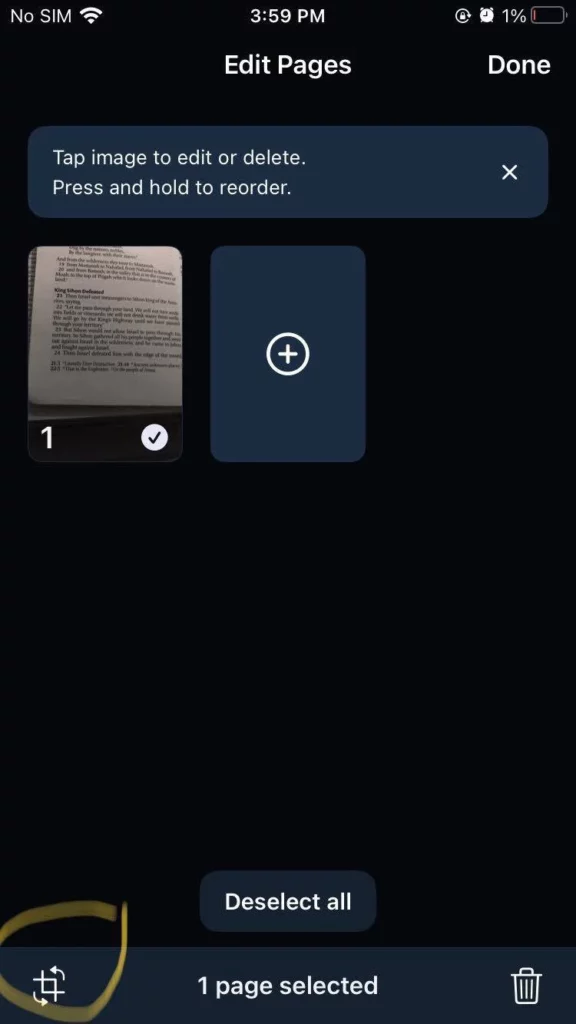
- Aqui você pode cortar, excluir ou reorganizar suas digitalizações.
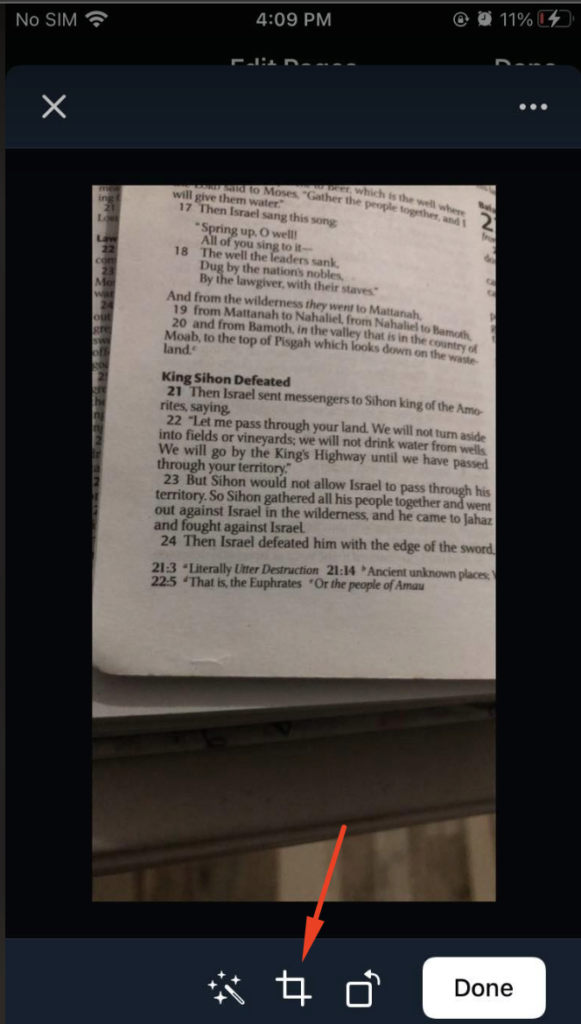
- Para cortar as fotos, toque no ícone de corte no canto inferior esquerdo da miniatura da digitalização. Recomendamos fortemente cortar cada foto o mais próximo possível do texto para garantir uma melhor renderização no documento auditivo. Em seguida, clique em Concluído.
- Para reorganizar as fotos, mantenha o dedo pressionado sobre a miniatura da digitalização que deseja mover e arraste-a para a posição correta.
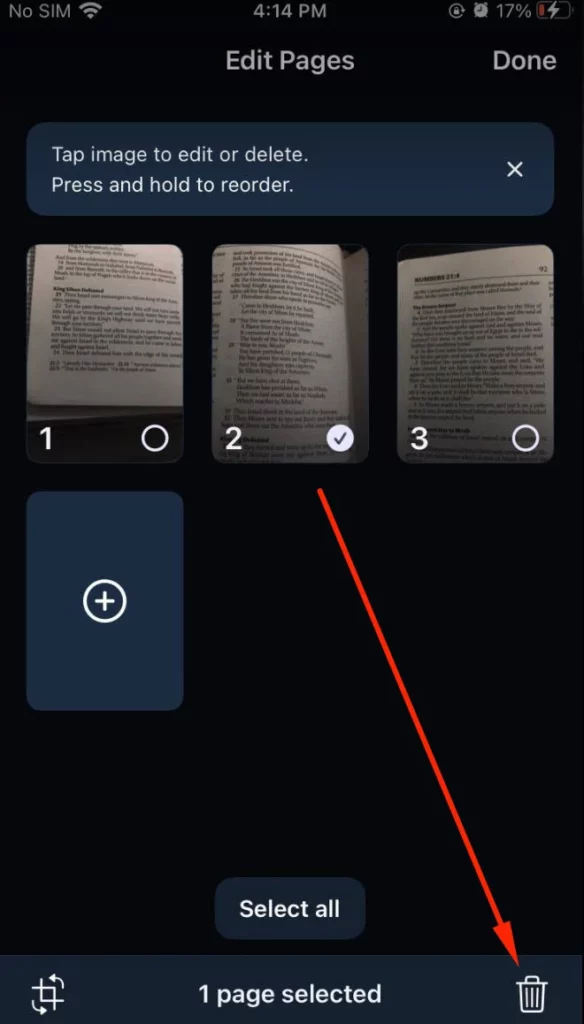
- Para excluir uma foto, selecione a miniatura da digitalização desejada e toque no ícone de exclusão no canto inferior direito da página.
7. Clique em Concluído para salvar as digitalizações como um documento auditivo único e coeso na sua biblioteca.
Ouça qualquer texto em uma foto existente do seu rolo da câmera
Perfeito para ouvir o texto de um print ou de qualquer foto de texto impresso que você tirou com a câmera do celular.
- No aplicativo, toque em ➕ e selecione Digitalizar páginas
- Toque em Fotos no canto inferior esquerdo.
- Permita que o Speechify acesse seu rolo da câmera, se ainda não o fez. Se você já fechou esta tela de permissão, pode liberar o acesso nas configurações do seu telefone. Vá em Configurações > Speechify > Fotos e toque em Todas as fotos para permitir o acesso do Speechify às suas fotos. Depois, volte para o app Speechify.
- Selecione, no seu rolo da câmera, as fotos cujos textos você quer ouvir.
- Toque no ícone de seta > no canto inferior direito.
- Agora você pode tirar fotos de outras páginas que deseja adicionar ao documento auditivo tocando no sinal ➕ e selecionando a opção Câmera na parte inferior, ou toque no ícone de seta > no canto inferior direito para ir para a tela de edição quando terminar.
- Aqui, você pode cortar, excluir ou reorganizar suas digitalizações. Siga os mesmos passos do passo 6 do tópico "Ouça qualquer texto do seu livro físico" acima.
- Clique em Concluído para salvar as digitalizações como um documento auditivo único e coeso na sua biblioteca.




