

Texto para Fala Grátis
IA Online
Transforme texto, PDFs, livros e documentos em áudio natural em segundos — sem cadastro
Experimente texto para fala grátis com o gerador de voz IA da Speechify, com mais de 1.000 vozes realistas em 60+ idiomas. É só colar o texto, escolher a voz e ouvir na hora ou baixar o áudio.

Ganhe tempo ouvindo em vez de ler. Faça várias coisas ao mesmo tempo enquanto acompanha artigos, emails e documentos sem usar as mãos.

Dê um descanso para seus olhos convertendo texto em áudio. Ideal para artigos longos, pesquisas e documentos de trabalho.

Aumente a compreensão e a memória ouvindo o conteúdo com voz natural e envolvente – mantenha o foco.
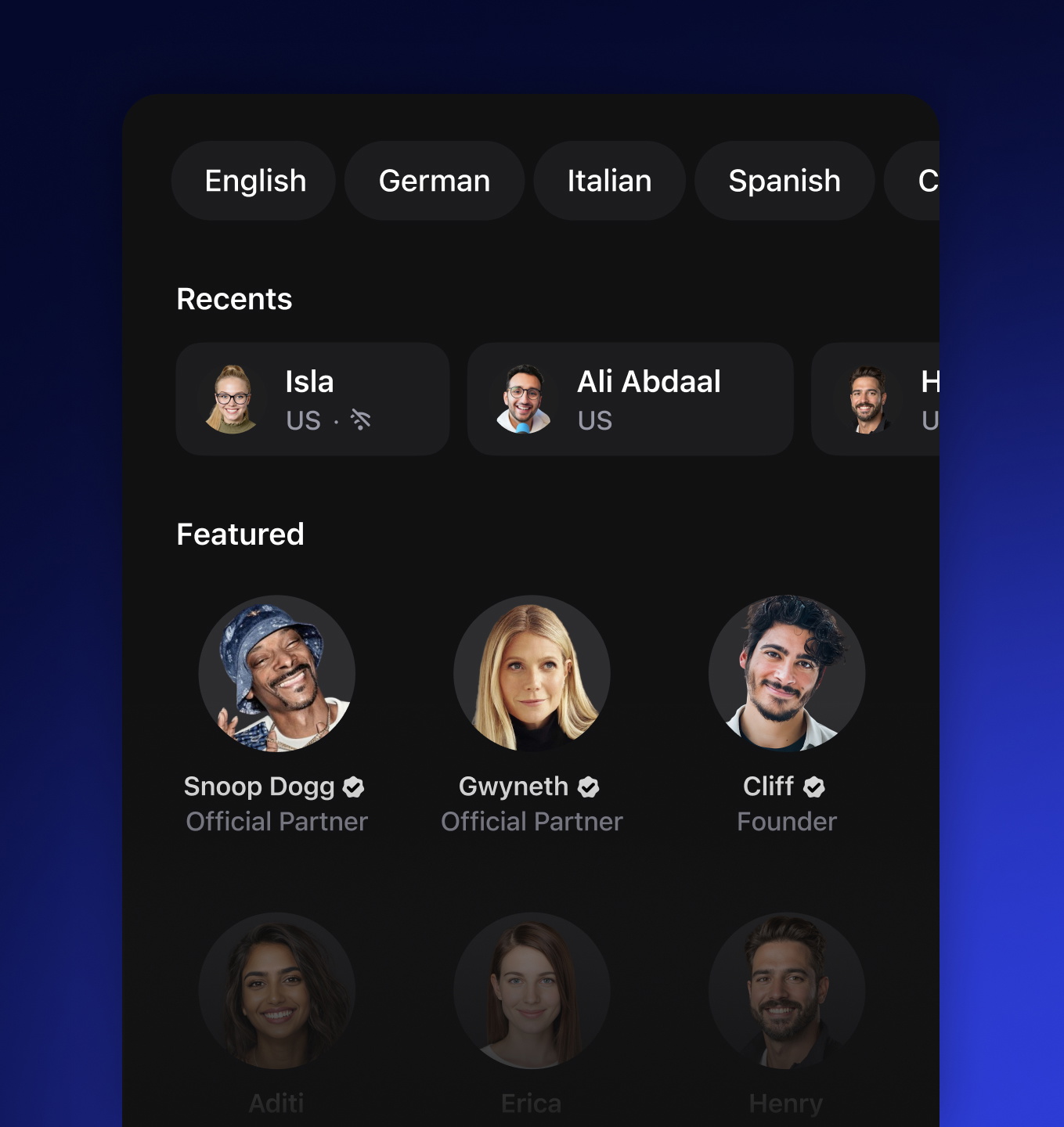
Vozes TTS Naturais
Escolha entre diversas vozes humanas de IA feitas para soar naturais e expressivas, deixando a experiência de áudio mais imersiva. Vozes de alta qualidade facilitam a compreensão e aumentam o engajamento.
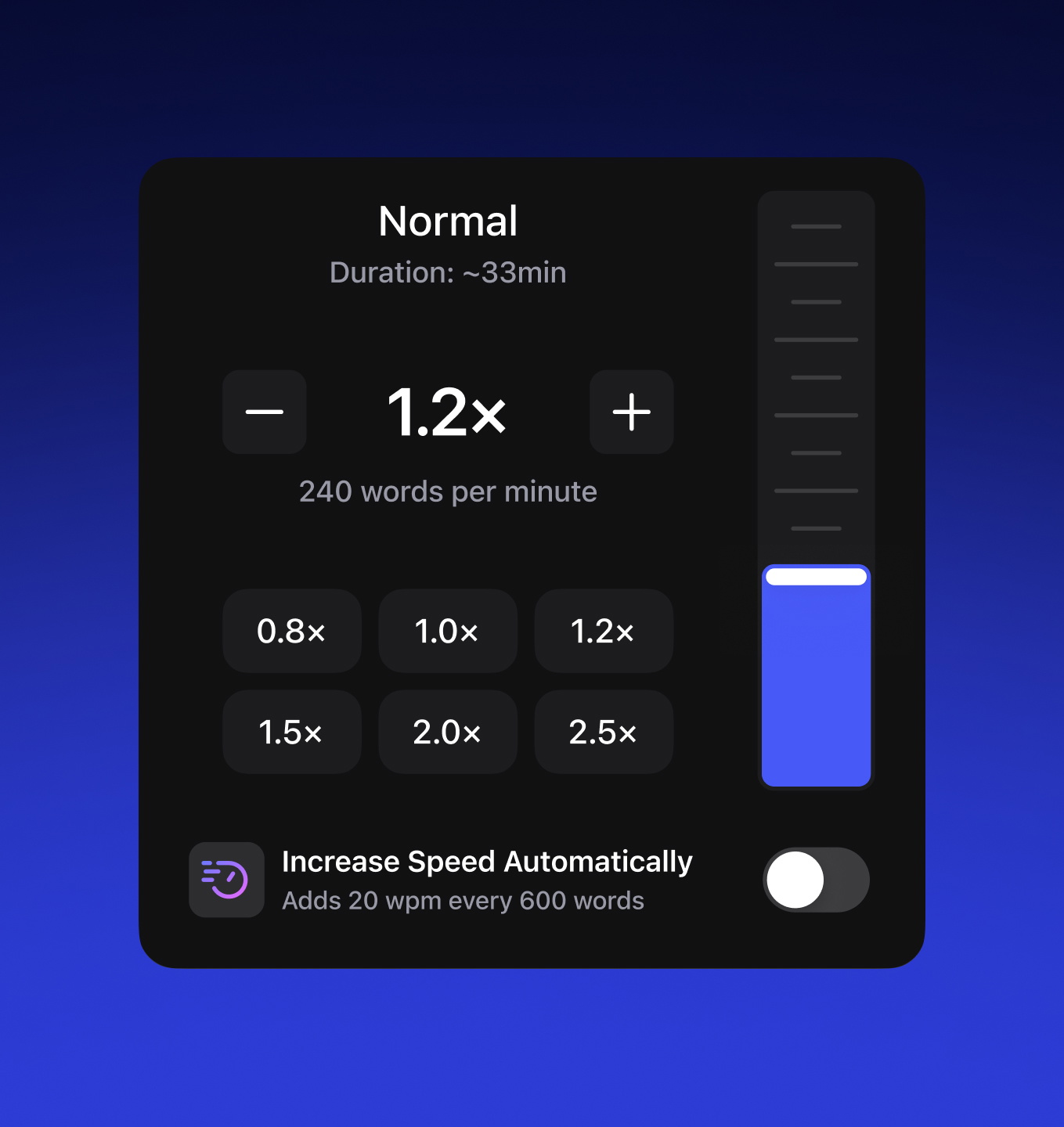
Ouça Até 4× Mais Rápido
Ajuste a velocidade do áudio, indo de devagar até 4× mais rápido sem perder clareza. Controle de velocidade para revisar rápido e ser mais produtivo no ritmo que preferir.
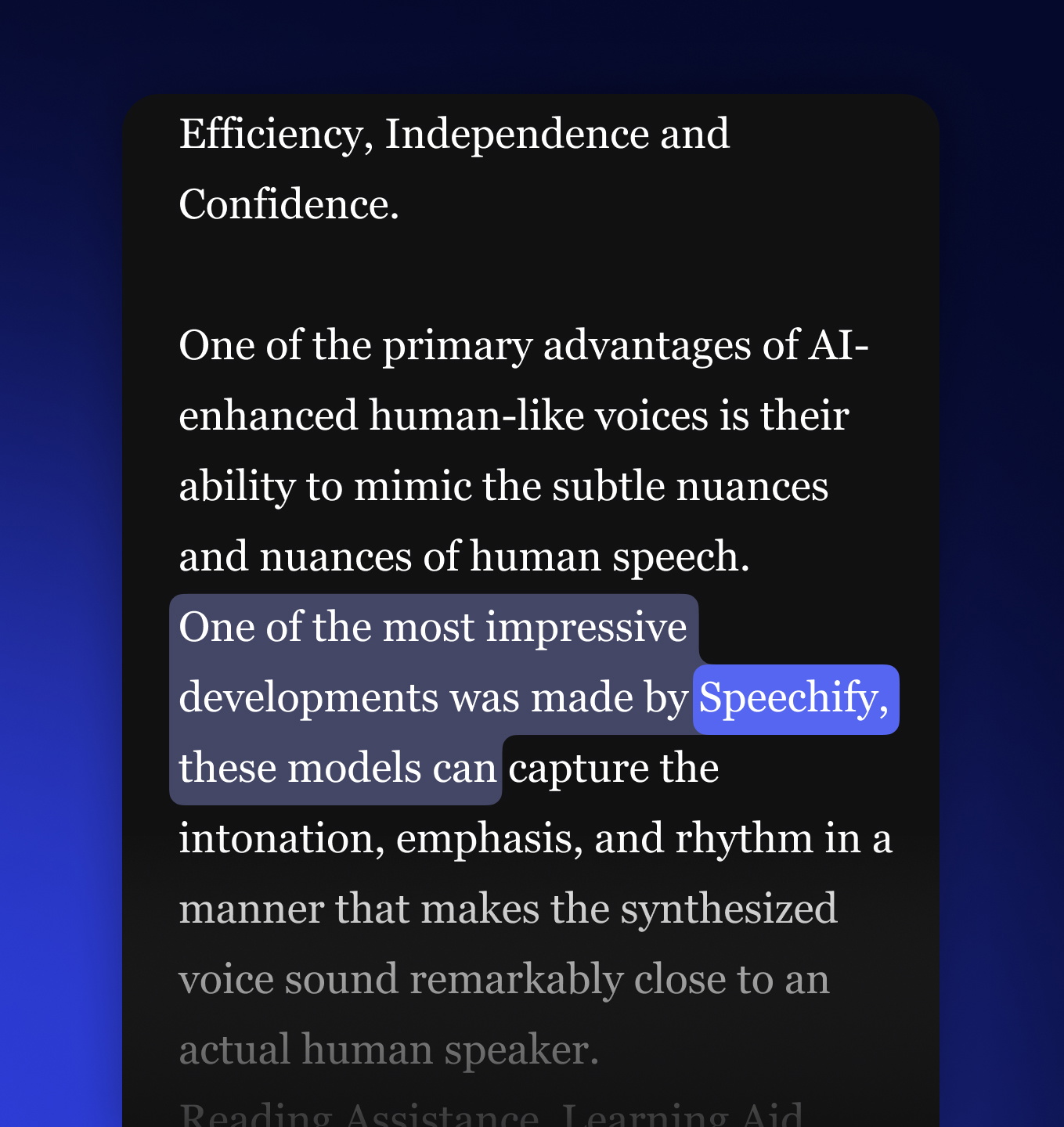
Destaque de Texto para Foco
Acompanhe com o destaque em tempo real sincronizado ao áudio, melhorando compreensão, retenção e foco. Ideal para estudo, acessibilidade e multitarefa.
Texto para Fala em Qualquer Lugar
Deixe o Speechify ler para você enquanto dirige, se exercita ou faz tarefas. Escute PDFs, livros, artigos, emails – qualquer coisa.

 4.7
4.7Deixe Speechify ler para você enquanto vai ao trabalho, corre ou lava roupa. Consuma PDFs, livros, artigos, docs e emails duas vezes mais rápido.

Leia em qualquer lugar com muito mais facilidade com Speechify online. Continue de onde parou, leia até 4,5x mais rápido e produza mais — seja estudando, trabalhando ou relaxando.

A forma mais rápida de ler qualquer PDF, livro ou documento e fixar o conteúdo. O Speechify integra com Google Drive, Dropbox, Canvas e muito mais.
Use Speechify direto no Dock para ler PDFs, Word, emails e muito mais. Transforme texto em áudio e acompanhe para ler mais rápido e reter melhor.

Ouça qualquer site no Microsoft Edge com vozes naturais usando nossa extensão. Emails, notícias, docs – qualquer coisa.

Digitalize e Ouça
Conte com OCR no Speechify. Basta tirar uma foto no app para digitalizar e ouvir qualquer texto com vozes TTS de alta qualidade.
Principais Recursos
Resumo e Quiz IA

Importe Qualquer Formato
Ouça Qualquer Coisa

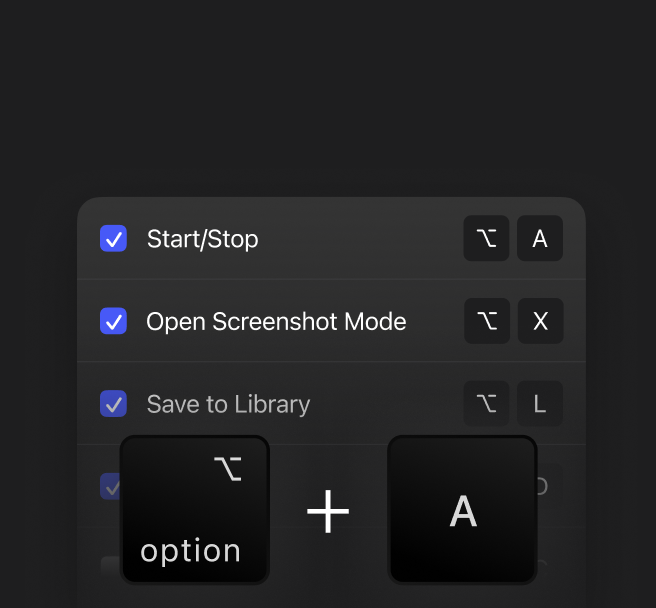
Atalhos para Ouvir
Pule Conteúdo Irrelevante

Plataforma Cruzada
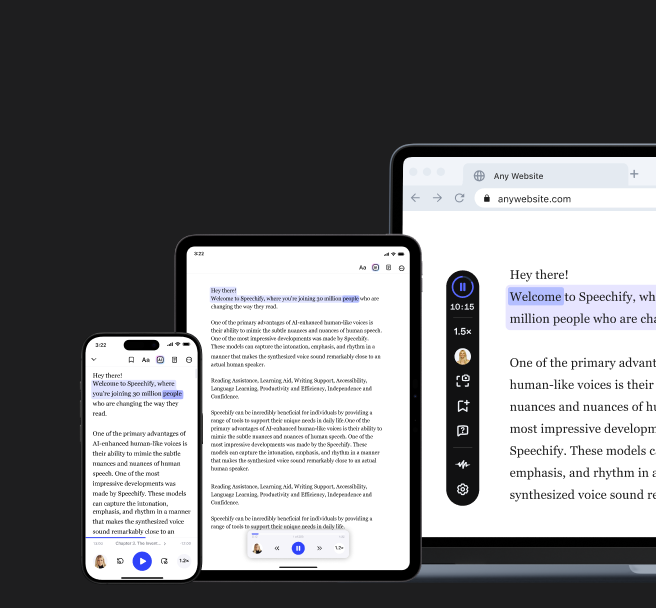
1.000+ VOZES DE IA
Converta qualquer texto em fala natural usando mais de 1.000 vozes realistas de IA em 60+ idiomas e sotaques. Ouça docs, Google Docs, PDFs, artigos, emails, sites, livros e fanfics, com voz humana que deixa a leitura digital mais rápida, fácil e envolvente.

 Google Docs,
  PDFs
PDFs
 Artigos de Notícias,
  Romances
 Emails,
  Livros Didáticos
.png?quality=95&width=2800)
 Não-ficção,
  Sites
SitesVozes de IA Multilíngue
Converta texto em fala em 60+ idiomas e sotaques regionais usando IA multilíngue avançada. Texto para fala ajuda a romper barreiras, adaptar conteúdo globalmente e acessar informação na voz que você preferir.


.webp?quality=95&width=2800)


Usos do Texto para Fala

Estudo
Converta livros, pesquisas, PDFs, anotações e guias em áudio realista para estudar quando e onde quiser. TTS ajuda estudantes a reter, revisar material e apoia estilos diferentes, incluindo TDAH e dislexia, deixando a leitura mais ativa.

Produtividade
Ouça emails, relatórios e documentos enquanto se desloca, viaja ou faz várias tarefas. Texto para fala ajuda profissionais, empreendedores e remotos a manter a produtividade longe da tela, aproveitando cada momento livre.

Leitura por Lazer
Transforme eBooks, artigos, newsletters e conteúdos salvos em audiolivros imersivos. Texto para fala facilita ler sem as mãos – dirigindo, treinando ou relaxando – e seguir lendo mesmo sem tempo.

Multitarefa
Absorva textos enquanto cozinha, limpa, treina, se locomove ou faz outras tarefas. Texto para fala mantém você informado e aprendendo no dia a dia sem tempo exclusivo para leitura, ideal para rotinas cheias.

Aprendizado de Idiomas
Melhore compreensão auditiva, pronúncia e vocabulário com texto lido em 60+ idiomas por vozes naturais de IA. O TTS mostra como as frases soam em uma conversa real, reforçando gramática e fluência.

Acessibilidade
Texto para fala torna conteúdos acessíveis a pessoas com deficiências visuais, dislexia, TDAH e mais. Convertendo texto em áudio claro e natural, apoia educação inclusiva, leitura independente e acesso igual à informação.
NOSSOS OUVINTES NOS AMAM
Mais de 500.000 pessoas deram 5 estrelas ao Speechify. Veja o que dizem nossos clientes.
Ler mais avaliações
Sir Richard Branson, Magnata de NegóciosSpeechify é absolutamente brilhante. Cresci com dislexia e isso teria feito muita diferença. Fico muito feliz de ter hoje.
Gwyneth Paltrow, Atriz e EmpresáriaSpeechify facilita aprender até 2x ou 3x mais rápido que lendo com os olhos.
Ali Abdaal, maior especialista em produtividade no mundo.Se for para defender uma ideia, é que ouvir rápido é o melhor caminho. Speechify mudou meu jogo.



Além do Texto para Fala Tradicional
Ferramentas de texto para fala online para todas as etapas do seu fluxo criativo
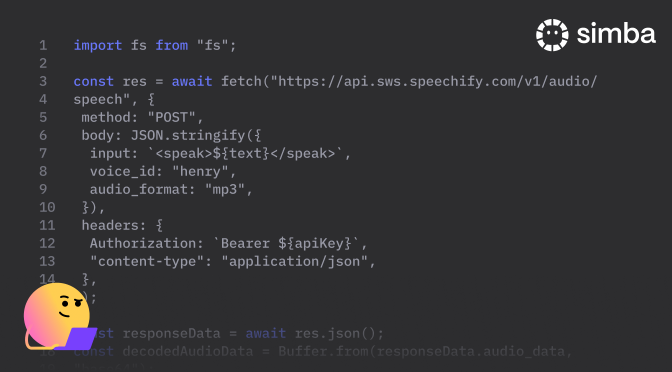
API de Texto para Fala
A API Speechify oferece vozes humanas com latência de 300ms a apenas US$10 por milhão de caracteres. Com vozes contextuais em todos os principais idiomas, desenvolvedores têm controle total para IA conversacional, agentes de voz e áudio multilíngue em escala.
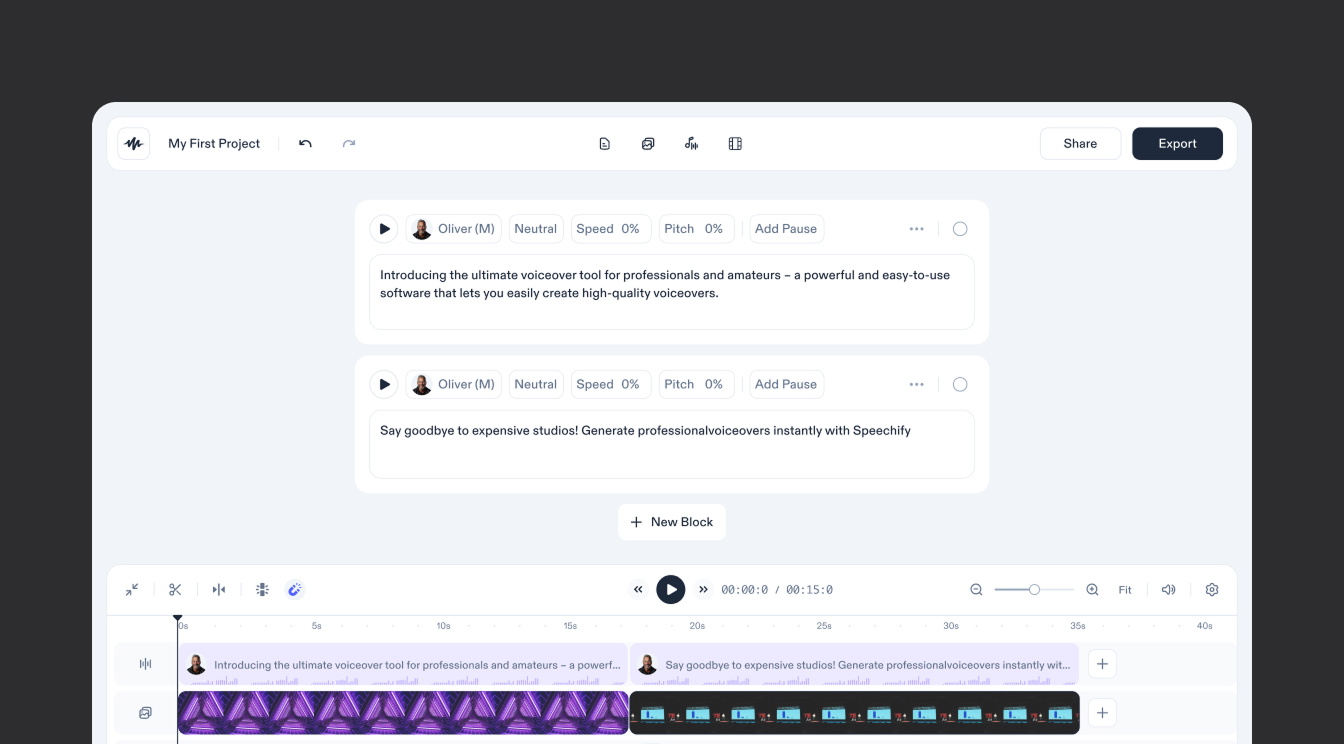
Speechify Studio
Speechify Studio permite locuções instantâneas, clonagem de voz, avatares IA e dublagem IA, com controle de tom, emoção, pronúncia e mais. Escolha entre 1.000+ vozes de IA em 60+ idiomas para criar áudio profissional poderoso em segundos.
FAQ
Speechify é um Assistente de Produtividade com IA de Voz que permite fazer pesquisas e obter respostas por voz em conversas, além de oferecer leitura de texto em voz alta, digitação por voz, anotações com IA e podcasts com IA.
Texto para fala, às vezes chamado de TTS, leitura em voz alta ou síntese de fala, é o termo usado para descrever o uso de vozes de IA para transformar qualquer texto digitado em áudio.
O Speechify texto para fala está disponível nos apps móveis para iOS e Android, no aplicativo web para Windows e Mac, ou nas extensões para Chrome e Microsoft Edge. Ele permite que você ouça em voz alta páginas da web, documentos e muito mais com vozes de IA realistas.
O texto para fala funciona convertendo texto escrito em áudio falado, combinando processamento de linguagem natural com síntese de fala. Primeiro, o sistema analisa o texto para determinar pronúncia, gramática e entonação. Depois, gera a fala usando vozes humanas pré-gravadas ou vozes de IA, criando um áudio natural e fácil de entender para que os usuários tenham o conteúdo lido em voz alta .
A plataforma online de texto para fala do Speechify é usada para converter conteúdos escritos em áudio, tornando a leitura mais acessível e prática. Alguns usos comuns incluem ajudar pessoas com deficiência visual, dislexia, dificuldades de aprendizagem, TDAH e dificuldades de leitura a ler em voz alta com mais facilidade, além de apoiar estudantes e profissionais a aumentar a produtividade e fazer multitarefas.
Speechify é uma das melhores ferramentas gratuitas de texto para fala online, oferecendo vozes realistas de IA em mais de 60 idiomas, além de recursos extras de IA, destaque de texto, controle de velocidade personalizável e muito mais.
Sim, o texto para fala do Speechify tem algumas das vozes mais naturais do mercado, muito parecidas com a voz humana. As vozes hoje são praticamente indistinguíveis de vozes reais e estão disponíveis em mais de 60 idiomas diferentes, incluindo espanhol, português, alemão, francês e muitos outros.
Clonagem de voz permite que você envie ou grave alguns segundos de qualquer locutor, com autorização, e crie uma cópia dessa voz. Assim, é possível ouvir qualquer e-mail, PDF ou site com a nova voz clonada.
Sim, o Speechify oferece uma API de texto para fala. Crie uma conta para começar. Você também pode consultar nossa ampla documentação. Esta é a mesma API que atualmente alimenta todos os nossos produtos e inclui clonagem instantânea de voz, suporte a vários idiomas, streaming, SSML, controle emocional, marcas de fala e muito mais.
Transformar texto em fala online de graça é simples com plataformas como o Speechify. Basta criar uma conta gratuita e seguir estes passos rápidos: 1) Digite ou cole seu texto na interface de texto para fala. 2) Selecione uma voz entre diversas opções de vozes realistas de IA, disponíveis em vários sotaques e idiomas. 3) Clique para gerar o áudio, ouça seu texto sendo lido em voz alta e baixe o arquivo se quiser salvá-lo.
Sim! Se você deseja comprar planos de texto para fala em grande quantidade, entre em contato com nosso time de vendas para escolas ou equipes. Trabalhamos com grandes distritos escolares e governos ao redor do mundo para fornecer acesso ao Speechify em larga escala. O texto para fala online do Speechify torna a educação mais acessível e ajuda a melhorar o desempenho dos estudantes.
O texto para fala online do Speechify prioriza sua privacidade e a proteção de dados em todas as etapas. Nossa plataforma utiliza criptografia avançada, protocolos rigorosos de acesso e monitoramento contínuo para manter suas informações seguras. Também seguimos importantes regulamentações de privacidade para garantir uma experiência confiável e segura, para que você possa ouvir nossas vozes de IA lendo seus conteúdos em voz alta com tranquilidade.
Você pode usar o áudio criado com o Speechify Studio em projetos comerciais como vídeos para YouTube, podcasts, anúncios e muito mais. Depois de gerado, o áudio é seu para usar, desde que esteja de acordo com a lei e com os termos de serviço do Speechify Studio.
O Speechify oferece um plano gratuito para você experimentar os principais recursos de texto para fala online. Para ter acesso a mais vozes, limites de uso maiores e ferramentas avançadas, você pode assinar um plano premium.
Você pode usar o Speechify sem conexão à internet se o áudio tiver sido baixado anteriormente, permitindo continuar ouvindo onde estiver, sem precisar de Wi-Fi.
Para fazer upload no Speechify Web App, toque em “Novo” na barra lateral à esquerda. Se estiver utilizando o app para iOS ou o app para Android , toque em upload na tela inicial. No app para Mac , clique em “Adicionar arquivos” na lateral esquerda.
O texto para fala online do Speechify foi criado para qualquer pessoa que prefere ouvir em vez de ler, desde quem faz multitarefas e estudantes de idiomas até quem busca mais acessibilidade e foco ao consumir conteúdos escritos.
O texto para fala online do Speechify se conecta ao Google Drive, Dropbox, OneDrive e Canvas, facilitando a importação e audição dos seus arquivos favoritos de armazenamento em nuvem ou plataformas de estudo, sem etapas extras.
O texto para fala online do Speechify inclui mais de 1.000 vozes de IA em 60+ idiomas e dialetos, permitindo que você personalize como o texto será lido para estudar, ouvir notícias ou melhorar a acessibilidade.
Sim, o texto para fala online do Speechify oferece uma versão gratuita, que permite ouvir textos com uma seleção de vozes de alta qualidade e recursos básicos.
Você pode usar o Speechify para transformar texto em fala online a partir de PDFs, e-mails ou páginas da web, permitindo ouvir enquanto está em trânsito, faz multitarefas ou aprende um novo idioma, deixando a leitura mais prática e eficiente.
O Speechify está disponível na Web, em iOS, Android e Mac. Também oferece uma extensão para Chrome que permite ouvir qualquer página da web ou documento diretamente no navegador.
O Speechify oferece texto para fala online em mais de 60 idiomas, com múltiplos sotaques e dialetos para tornar a audição mais natural e localizada.
O Speechify inclui uma ampla variedade de sotaques globais, como americano, britânico, australiano, indiano e sul-africano, além de variações regionais em diversos idiomas.
O Speechify se destaca em relação a ferramentas tradicionais de chat de IA como ChatGPT, Gemini, Grok e Perplexity por funcionar como um Assistente de Produtividade com IA de Voz, permitindo que usuários conversem, ouçam, pesquisem, ditem, registrem notas com IA e criem podcasts com IA, tudo em um só app, por voz, sem precisar alternar entre aplicativos.
O Speechify vai além dos comandos de voz de outros Assistentes de IA, como Siri e Alexa, mantendo conversas, lendo e resumindo conteúdos em voz alta, permitindo digitação por voz com anotações de IA e gerando podcasts de IA sob demanda, tudo via comandos de voz.
Sim. O Speechify pode substituir vários assistentes de IA e ferramentas de produtividade ao reunir digitação por voz, anotações com IA, texto para fala, pesquisa por IA, criação de podcasts com IA e interação por voz em uma única solução de Assistente de Produtividade com IA de Voz.